
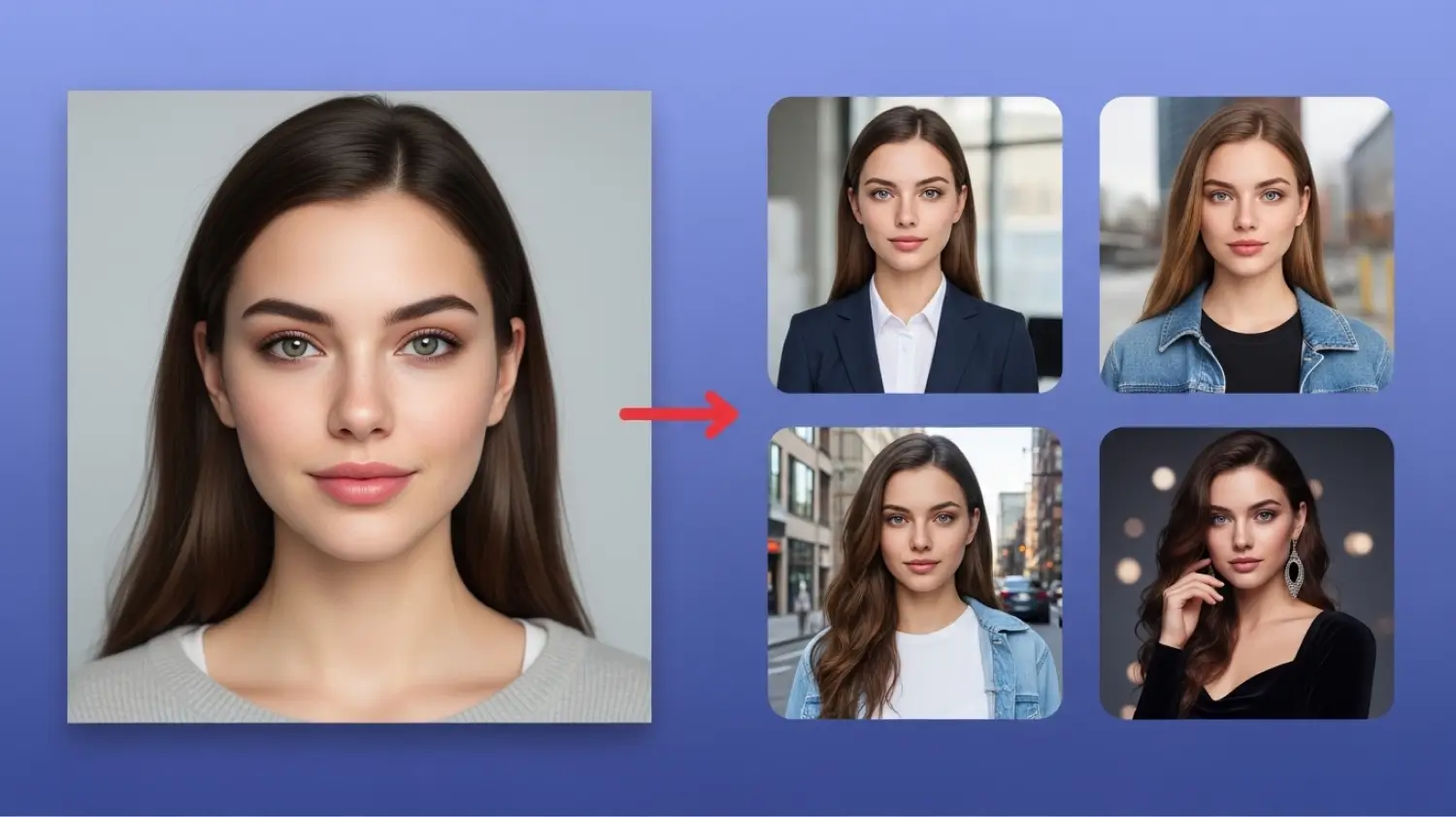

The most-asked question for any creator trying to use AI for narrative work has been the same for two years: how do you make the same character appear consistently across multiple scenes? Until recently, the answers ranged from “spend three days training a LoRA” to “regenerate until it looks close enough.”
That’s no longer the right answer. Reference-based character workflows now produce reliable identity across an arbitrary number of generations, with setup measured in minutes rather than hours. The technical bottleneck moved from training to creative direction.
This is the practical workflow for building a character that holds up across a series of images, videos, and voice clips.
What “consistent” actually means
Before walking through the workflow, it helps to define what’s realistic to expect. A consistent AI character means:
The face structure stays stable. Same general bone structure, eye shape, nose proportions, jaw line. Not pixel-identical, but recognizably the same person.
The hair holds. Color, length, and overall style stay constant. Slight variation in styling within shots is normal.
The body proportions track. Same height read, same general build, same posture defaults.
Distinctive identifiers persist. A scar, a tattoo, a particular jewelry piece, an unusual eye color stay attached to the character.
What doesn’t stay perfectly consistent: exact freckle placement, individual strands of hair, micro-expressions, minor costume details unless re-specified. The trick is to define identity at a level the model can actually preserve, and accept low-level variance.
The setup workflow
The practical setup runs in five steps. Most of the work is in the first generation; subsequent generations of the same character take seconds.
Step one: write the character bio. A short written description of the character — physical traits, personality, defining style. This bio is what you’ll reference when prompting. A complete bio template and walkthrough is in socialAF’s build your first consistent character guide.
Step two: generate or upload reference images. Two or three images that show the character in well-lit, front-facing or three-quarter views. If you’re starting from scratch, generate the first image with detailed prompting and use it as the anchor. If you have existing reference (a photo, a previous generation), upload it directly.
Step three: attest the character. The platform asks you to confirm that the character isn’t a real living person without their consent. For original characters, this is a single click; for likeness-based characters, you need permission.
Step four: name and save the character. The system stores the character as a reusable identity that you can pull into any future generation.
Step five: run your first multi-scene test. Generate the character in three or four different scenarios to verify the identity holds across contexts. If you notice drift, adjust the reference set (better lighting, more consistent angles) before committing to a longer production.
Common setup mistakes
A few patterns that cause downstream consistency problems:
Reference images that don’t match each other. If you provide one photo with the character in good light and one with the character in shadow, the model averages between them and produces something that matches neither. Use reference images with similar lighting and framing.
Reference images at extreme angles. Profile shots, dramatic up-angle or down-angle compositions, and heavily obscured faces (mostly turned away) give the model less identity to lock onto. Front-facing or three-quarter views work best.
Over-specifying conflicting details in the prompt. If your reference shows a character with curly hair and your prompt says “straight hair,” the model gets confused and produces something inconsistent with both. The prompt should reinforce the reference, not contradict it.
Using stylistically different references. Mixing a photo-realistic reference with a stylized illustration of the same character usually fails. Pick one style for the character and stay in it across the reference set.
Once the character exists, what comes next
A character anchor is the foundation. The next layers in the workflow are scenes, motion, and voice.
Scene generation. With the character locked, you can place them in different environments without identity drift. A cafe scene, a city street, an interior office — each produces the same character in different contexts.
Motion. Reference-to-video workflows take the character image and animate it. The same identity that worked in still images carries through into 5-15 second video clips.
Voice. Text-to-speech with character-specific voice settings gives the character a consistent audio identity. Combined with lip-sync, this produces talking-head video of the character that holds visual identity through the dialogue.
Each of these layers compounds. By the time you’ve set up character, scenes, motion, and voice, you have a near-complete production pipeline for a recurring AI persona.
Where the workflow shines
The workflow makes a few categories of work newly viable:
Recurring brand characters. A brand mascot or recurring spokesperson character can appear across email, social, video, and ads with consistent visual identity, at a fraction of the cost of either an illustrator or a real-person spokesperson.
Webcomics and visual narratives. Long-form visual storytelling with consistent characters becomes economically feasible for solo creators and small teams.
Educational content with hosts. A recurring host character for course content, tutorial series, or onboarding flows can be produced at scale without filming.
Virtual influencer accounts. Social presence built around a fictional persona with consistent visual identity across image and video posts.
Marketing personas brought to life. Customer persona archetypes that previously lived as written documents can be visualized and given a face for internal alignment or external marketing.
What’s still hard
Honest weaknesses worth knowing:
Multiple characters in the same scene. The workflow works well for a single character at a time. Two characters with separate anchors in the same image is still hit-or-miss; the model occasionally blends features between them.
Extreme expression range. Subtle expressions hold identity well. Extreme expressions (open-mouthed shouting, dramatic crying, heavy laughter) sometimes stretch the face enough that identity wobbles.
Aging or younger versions. Generating the same character at age 5 and age 70 with the same anchor isn’t yet reliable. Each age tier benefits from its own reference.
Very stylized art directions. Heavy stylization (anime conversion, comic book, sketch style) can hold identity but with less reliability than realistic photo work.
The category is moving fast on each of these. The bottlenecks that exist today won’t all be there in six months. For anyone trying to use AI for character-driven work, the time to start is now, while the cost and friction are low enough that experimentation is cheap.
